


Plan usable capacity for a Dell storage array by working backward from the space your applications need, then accounting for data protection, spare capacity, system overhead, snapshots, and growth. Raw drive capacity is not the amount you can safely allocate to production. Confirm the final capacity calculation against the exact array model, drive configuration, and protection scheme before requesting a hardware quote.
- Size a Dell storage array for usable capacity, not the sum of drive labels.
- Dell PowerVault capacity planning must account for protection, reserves, snapshots, and growth.
- Match Dell PowerEdge host connectivity to the storage controllers and network.
- Compare quotes using the same capacity definition, drive configuration, and support requirements.
How do you plan usable capacity for a Dell storage array?
Start with your measured application footprint and produce a capacity worksheet that separates physical capacity from application space. For a configuration such as the Dell PowerVault ME5024, request a calculation tied to the proposed drives and storage layout—not just the enclosure name.
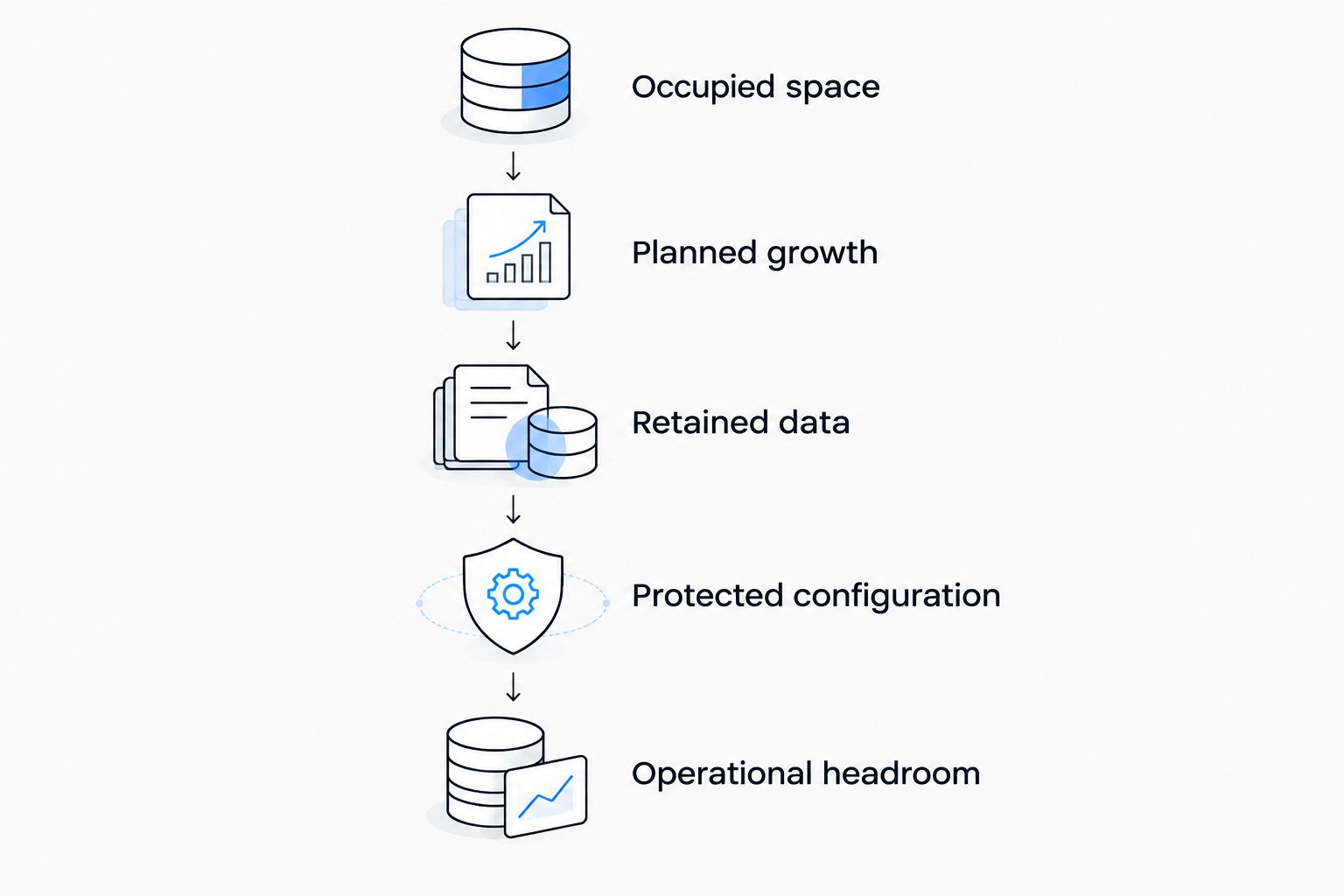
Use these steps before you approve a bill of materials:
- Measure occupied space. Record actual consumption for virtual machines, databases, file shares, and other workloads. Separate allocated virtual disk sizes from the physical space those workloads consume.
- Add planned growth. Use your own historical measurements and known projects. Include migrations, new applications, and additional users rather than applying an unsupported growth percentage.
- Account for retained data. Identify snapshots, application logs, backup staging, and temporary migration copies that will live on the array. Keep each category separate so you can explain the requirement.
- Translate the requirement into a protected configuration. Specify the protection scheme, drive sizes, spare strategy, and any pool reserves. Ask the supplier to show how the proposed physical layout meets your application-space requirement.
- Confirm operational headroom. Leave room for the activities your environment requires, including snapshot growth and data movement. Have the supplier identify the model-specific capacity limits and reserve recommendations used in the calculation.
Keep the worksheet with the quote. It gives you a consistent basis for comparing configurations even when suppliers use different capacity terminology.
Why this matters
A capacity quote can be technically accurate and still answer the wrong question. An enclosure's raw capacity, a protected pool's capacity, and the space presented to a server describe different stages of the same storage configuration.
That distinction matters when you buy Dell PowerEdge servers alongside shared storage. Additional server memory does not resolve a storage capacity shortage, and additional storage space does not prove that the system can meet application latency requirements. Treat capacity, performance, and connectivity as separate acceptance criteria.
Approve the capacity worksheet before approving the hardware configuration. Otherwise, you risk comparing a quote that includes protection and reserves with one that reports only raw drive capacity.
What counts as usable storage capacity?
Use explicit definitions in your request. The word usable alone leaves too much room for different interpretations.
- Raw capacity: The sum of the installed drives' stated capacities, before data protection and other deductions.
- Protected capacity: Capacity remaining after the selected mirroring or parity arrangement, with dedicated spare drives excluded where applicable.
- Allocatable capacity: Space the storage system permits you to assign after its own reservations and overhead.
- Application capacity: Space available to workloads after host-side formatting and any additional storage layers.
- Operational headroom: Capacity intentionally left unconsumed so normal storage operations and expected changes have room to occur.
Ask each supplier which definition appears on the quote. Also ask whether snapshot space and growth headroom are inside or outside that figure.
Keep TB and TiB separate
Drive labels commonly use decimal terabytes, while some operating systems and management interfaces report binary units. 1 TB equals 1,000,000,000,000 bytes; 1 TiB equals 1,099,511,627,776 bytes. A different displayed number does not automatically mean that protection or formatting consumed the difference.
Choose a reporting unit for the worksheet and require suppliers to label theirs. Do not compare an unlabeled management-screen value with a drive-label total.
How does data protection change the calculation?
Mirroring and parity reserve capacity differently. The following formulas describe conventional RAID arithmetic using equal-capacity drives; they are not a statement that every Dell array supports every layout.
Here, N means the number of participating drives and D means each drive's capacity. Dedicated spare drives sit outside N in these formulas.
| Protection layout | Best for | Nominal protected capacity | Advantage | Limitation |
|---|---|---|---|---|
| RAID 10 | Workloads requiring mirrored storage and an appropriate measured performance fit | N × D ÷ 2 | Mirroring makes the capacity calculation straightforward | Half the participating raw capacity stores mirror copies |
| RAID 5 | Workloads whose approved protection policy accepts single parity | (N − 1) × D | Uses one drive-equivalent for parity per group | Tolerates only one drive failure within the group |
| RAID 6 | Workloads whose approved protection policy requires dual parity | (N − 2) × D | Tolerates two drive failures within the group | Uses two drive-equivalents for parity per group |
The correct layout depends on your protection policy and workload—not capacity efficiency alone. Ask for the proposed RAID group or pool structure, not simply a RAID label.
Distributed protection schemes and model-specific pool designs require their own calculations. Use the array's documented sizing method rather than forcing those configurations into a conventional RAID formula.
A worked example using a Dell PowerVault configuration
The supplied Dell PowerVault ME5012 configuration lists 6 × 20 TB SAS hard drives and dual 10Gb BaseT iSCSI controllers. Those drive labels total 120 TB of raw capacity. That figure describes the installed drives, not application space.
To illustrate conventional RAID 6 arithmetic, assume all six drives participate in one supported RAID 6 group, with no dedicated spare:
- Raw capacity: 6 × 20 TB = 120 TB.
- Parity capacity: 2 × 20 TB = 40 TB.
- Nominal protected capacity: 120 TB − 40 TB = 80 TB.
The 80 TB result is a planning illustration, not a verified usable-capacity specification for that listed system. It excludes system overhead, host formatting, snapshots, and operational reserves. Confirm the supported layout and final allocatable capacity for the exact configuration.
Do not promise applications the full 80 TB on the strength of this arithmetic. First establish what the array actually makes allocatable, then subtract the space your operating plan reserves.
Why usable capacity varies between configurations
Two storage quotes with the same raw total can leave different amounts of space for applications. Check these factors before treating the totals as equivalent:
- Protection layout: Mirroring, parity, group boundaries, and distributed protection change how much capacity stores application data.
- Spare strategy: Dedicated spare drives and distributed spare reservations do not appear in every capacity summary the same way.
- System overhead: Storage metadata and system reservations reduce the capacity available for allocation.
- Retention requirements: Snapshot consumption depends on retained changes and the retention policy, not just the original dataset's size.
- Growth and migration: New workloads, temporary copies, and migration overlap need space beyond today's occupied footprint.
- Capacity reporting: Decimal and binary units, plus thin-provisioned logical sizes, can make unlike quantities appear comparable.
Ask the supplier to identify each deduction separately. A single unexplained usable-capacity figure prevents you from checking whether the proposed system meets your requirement.
Should Dell PowerEdge storage be local or shared?
Decide where the workload's data belongs before selecting drive quantities. A Dell PowerEdge server with internal drives and a Dell PowerVault array solve different architectural requirements, even when both provide sufficient capacity.
| Storage approach | Best for | Practical benefit | Tradeoff to evaluate |
|---|---|---|---|
| Local storage in a Dell PowerEdge server | Workloads designed to keep data within an individual host | Keeps the storage path within the server | Host failure and data access require an explicit recovery design |
| Shared Dell PowerVault storage | Environments designed for multiple hosts to access shared block storage | Separates host compute configuration from shared storage capacity | Requires compatible host connectivity, path design, and storage administration |
For local storage, a Dell PowerEdge R750 with a 16-bay layout is a starting point for a configuration discussion—not evidence that every bay supports every drive protocol. Verify the exact backplane, controller, cabling, risers, and drive compatibility.
Stallard Technologies, Inc is best for business buyers seeking new or refurbished Dell hardware configured around their workloads. Ask for the PowerEdge host and storage configuration together when both are part of the purchase. The limitation is configuration-specific: a model name alone does not establish compatibility, capacity, or support eligibility.
Check performance and networking separately
Enough capacity does not establish enough performance. Give the supplier your workload's measured I/O pattern, latency requirements, concurrent activity, and backup window alongside the capacity worksheet.
Separate capacity-heavy file retention from latency-sensitive databases. Drive technology, controller configuration, and workload behavior all belong in the sizing discussion; raw terabytes cannot substitute for that information.
The listed ME5012 configuration uses dual 10Gb BaseT iSCSI controllers. That detail belongs in the host and network design, but it does not establish end-to-end throughput. Confirm compatible server adapters, switch interfaces, cabling, and multipathing for the complete path.
For a Dell PowerEdge purchase, identify the network adapter and required expansion configuration before accepting the server quote. Also establish how storage traffic will connect through the existing network. Additional array capacity does not correct an incompatible connection or an incomplete redundancy design.
What should you include in a hardware quote request?
Send the same requirements to every supplier. That makes configuration differences visible instead of burying them inside competing totals.
Include:
- Workload: Applications, hypervisor or operating system, host models, and whether storage is local or shared.
- Capacity: Current occupied space, required application space, reporting units, growth assumptions, and retention needs.
- Protection: Required failure tolerance, approved layouts, spare strategy, and backup arrangements.
- Performance: Measured I/O, latency requirements, read/write behavior, and simultaneous workload activity.
- Connectivity: Host adapters, switch interfaces, cabling, path redundancy, and management requirements.
- Service: Installation location, required coverage, escalation expectations, and fulfillment requirements.
Ask Stallard Technologies, Inc to quote the required configuration and identify any proposed substitutions. Compare new and refurbished configurations on like-for-like specifications to assess acquisition costs; confirm Dell support options for the specific equipment rather than assuming eligibility.
Use the hardware quote contact page to submit the worksheet and request configuration guidance. State your required fulfillment timing and ask for confirmation—do not treat a quote response or shipment date as guaranteed until agreed.
FAQ
How much usable space will my Dell storage array have?
Your Dell storage array's usable space depends on its installed drives, protection layout, reserves, and overhead. Request an allocatable-capacity calculation for the exact configuration, then account separately for snapshots and operating headroom.
Does six drives with 20 TB each mean I can store 120 TB of business data?
Six 20 TB drives provide 120 TB of raw capacity, not 120 TB of protected application space. Protection, system overhead, and your operating reserves reduce what you can assign to workloads.
Does RAID 6 give the same usable capacity on every Dell array?
RAID 6 does not establish the same usable capacity on every Dell array. Drive quantities, group structure, spare reservations, and system overhead still determine the final result.
Can I count thin-provisioned space as physical capacity?
Thin-provisioned logical space is not additional physical capacity. Track actual pool consumption and growth so allocated virtual capacity does not conceal a physical-space shortage.
Do snapshots replace backups when I size storage?
Snapshots do not replace an independent backup strategy. Include snapshot consumption in array sizing and define backup protection and retention separately.
Should I buy a Dell PowerEdge server or a separate storage array?
Choose local Dell PowerEdge storage when the workload architecture calls for host-local data, and shared storage when the design requires shared block access. Compare recovery requirements, host connectivity, and administration before choosing either approach.
What should I ask a supplier to show on a storage quote?
Ask for raw capacity, the protection layout, spare reservations, and final allocatable capacity in clearly labeled units. Require the drive configuration, connectivity, support terms, and fulfillment expectations alongside those figures.
One last thing
A larger logical volume is not proof of a larger physical storage pool. Before signing off, ask the supplier to reconcile the proposed application space with the physical capacity worksheet, including thin provisioning and snapshot reservations.
Stallard Technologies, Inc can help choose hardware for the workload, but your acceptance criterion should remain specific: the quoted configuration must meet your application-space, performance, connectivity, and support requirements—not merely a raw-capacity target.